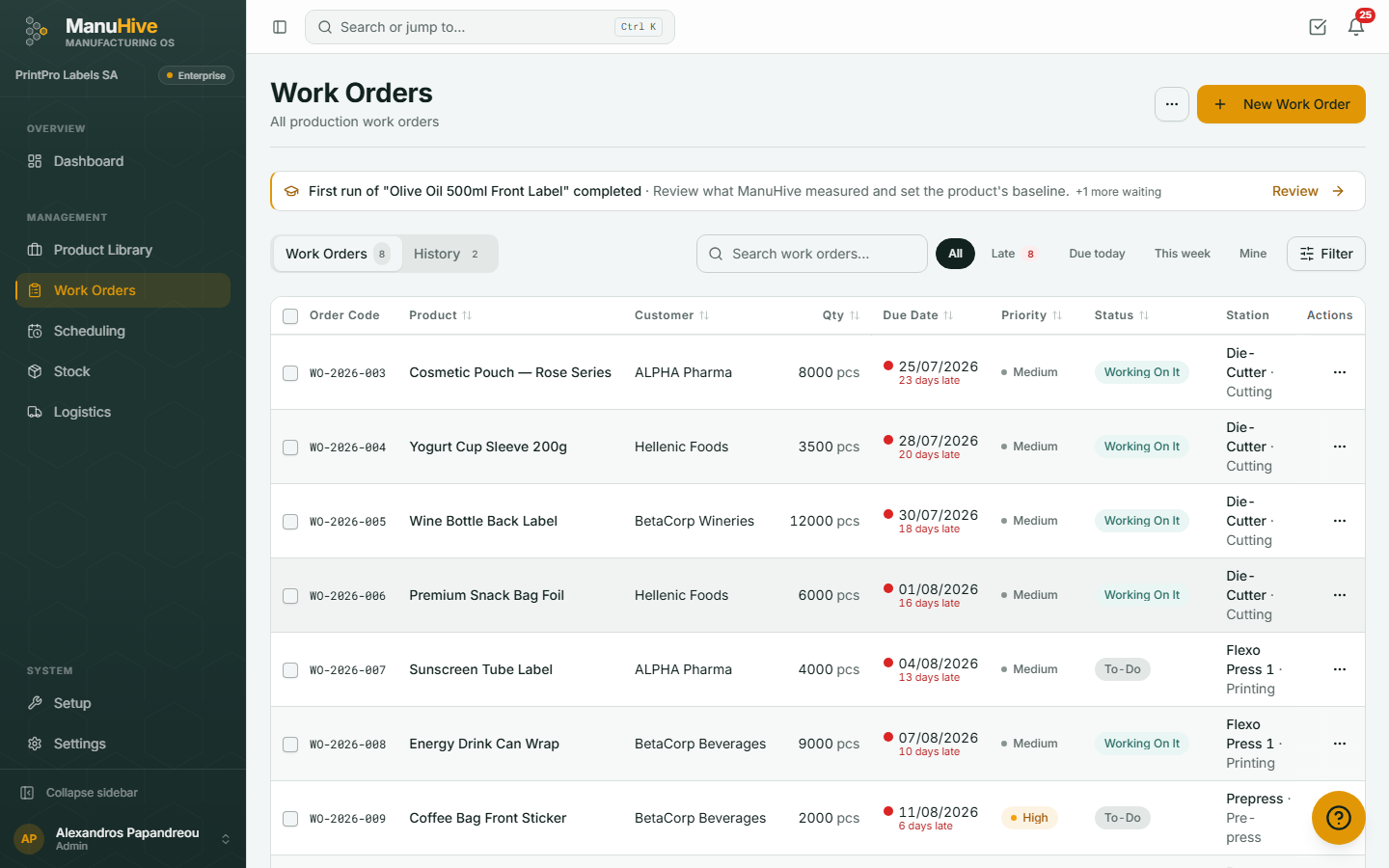
Work orders, production steps, stock and deliveries in one live view. Operators tap a PIN at the machine; you see progress as it happens — no spreadsheets, no consultants.
Everything a small factory does, in the order it does it.
Step 1
Add your products
Build your product library with materials and production steps — or import it from a spreadsheet in one go. Pick an industry template to start with sensible defaults.
Step 2
Run work orders
Create a work order, pick the flow, and watch it move through your machines. Operators log their work with a short PIN at the machine — no training, no passwords to forget.
Step 3
Ship and deliver
Complete, ship, deliver. Stock is deducted automatically and your customer follows the order on a live tracking link — no phone calls asking where it is.
Product tour
The four screens your team will live in
Orders, production flows, analytics and stock — click a tab, or just watch.
Track every order from creation to completion. See real-time status, priority, and progress at a glance.
manuhive.com/orders
What ManuHive does
Everything you need to run a factory
One product, not a bundle of modules. Where a card is marked, some or all of it needs the plan shown.
Product Library
Products with specs, materials, barcodes, and recipe-linked stock.
Work Orders
Multi-step progress tracking and one-tap operator controls with real-time status updates.
Production Flows
Sequential production steps with machine assignments and time estimates.
Machine Management
PIN login, per-machine dashboards, operator queues and live updates for everyone.
Smart Scheduling
Drag-and-drop planning with auto-schedule by priority and due date.
Deliveries need Pro
Stock & Deliveries
Stock reserved per order and deducted on completion, reorder alerts, deliveries with transport company history, CSV/PDF export.
Available on Pro+
Warehouse Map
Visual layout editor with cross-warehouse stock fulfillment.
Available on Basic+
Analytics & Insights
Production dashboards, on-time delivery week by week, and where the time goes by step, machine and product.
Pricing
Simple, transparent pricing
Start free. Upgrade when the software should do more of the work. Change or cancel any time.
Free
Keep the record.
Your whole factory, written down properly. You do the thinking.
A machine is any place work happens: a press, an oven, a bench, a packing table. People means everyone who signs in, operators included.
Free
Needs a paid plan
Basic
€128per month
with 1 Extra pack
Pro
€239per month
No Extra pack needed
Prices per company per month, excluding VAT. Free is a plan, not a trial. Every plan includes machines and people, you grow with Extra packs, and nobody is ever priced per user.
FAQ
Questions you might have
Yes. Free is a real plan, not a trial: up to 3 machines and 5 people, unlimited products and work orders, for as long as you like. No credit card required, and you can upgrade any time as your factory grows.
Every paid plan includes a number of machines and people. When you outgrow either, you add an Extra pack: 5 more machines and 15 more people, for €49 a month on Basic or €79 on Pro. You buy it in the app the moment you need it, and it drops off your bill by itself when you no longer do.
No. ManuHive runs entirely in your browser and works on any device — desktop, tablet, or phone. It's also a Progressive Web App, so you can add it to your home screen for a native app experience.
Yes. You can import products via CSV upload with automatic field mapping. The system validates your data before importing and warns you about duplicates or mismatched product types.
ManuHive connects to five ERP systems today — Entersoft, SoftOne, Galaxy (SingularLogic), SAP Business One and Microsoft Dynamics 365 Business Central — syncing customers, products, stock and orders automatically. Running something else? Tell us which ERP you use; we add connectors based on customer demand.
ManuHive is available in English, Greek, and German. The entire platform — including operator dashboards, notifications, and reports — is fully translated.
Absolutely. Operators log into machines via a simple PIN code and get a dedicated dashboard optimized for touch screens. They can start jobs, track time, report issues, and move orders through production steps.
Every company's data is isolated at the database level with row-level security, all connections are encrypted with TLS, and an append-only audit log records every change. Operators sign in at machines with a PIN, so nobody on the floor needs a password.
Yes. You can upgrade, downgrade, or cancel your subscription at any time from the Settings page. There are no long-term contracts or cancellation fees.
What ManuHive does not do
Better to know before you move your data in than after.
No accounting or invoicing
ManuHive costs a job from your machine rates and the material it consumed, and exports the figures. Issuing invoices, VAT returns and payroll stay with your accounting software.
One company per workspace
A workspace is one company. There is no single login that rolls two factories into one view — a second plant means a second workspace with its own subscription.
Machine data is on Enterprise only
Reading signals straight off your machines belongs to the Enterprise plan. On every other plan, what happened at a machine is recorded by the operator — a tap, a PIN or a barcode.
Five ERP systems, not every ERP
ERP connectors belong to the Enterprise plan and cover Entersoft, SoftOne, Galaxy (SingularLogic), SAP Business One and Microsoft Dynamics 365 Business Central. Any other system exchanges data by file export, not by a live link.